Aerium

A browser that stays out of the way.

No telemetry calling home, no bundled Google services, no ad platform baked into the settings page. Built on Chromium, stripped of what doesn't belong to you.

Named after the lightest solid there is.

Aerium takes its name from aerogel, a material that is up to 99% air by volume, solid enough to hold its shape, light enough to rest on a flower without bending the stem. That is the standard the browser is held to: strip away the weight that does not need to be there, keep what actually works.

Built by Dioide on top of Chromium, using ungoogled-chromium on Windows and Linux, and a Vanadium-based fork on Android, with a curated set of privacy defaults and a browser identity of its own, not a reskin.

What you get, platform by platform

The same principles everywhere, adapted to what each platform actually supports. Pick a platform to see only what it has.

Feature Windows Linux Android
Privacy defaults
HTTPS-First Balanced Mode on by default
Upgrades navigations without the disruptive full-site warnings of strict HTTPS-only.
Global Privacy Control on every request
Sec-GPC and navigator.globalPrivacyControl, recognised under CCPA, still missing from stock Chromium.
Fingerprinting noise: canvas, clientRects, measureText, WebGL
Safe Browsing off by default
No URL stream to a third party.
Payment probing off by default
Sites cannot silently ask whether you can pay.
Preloading, optimization guide and domain reliability off
No password or payment vault in the browser
The settings are removed, not merely emptied. Your system autofill service fills forms.
No sync service, and no plans for one
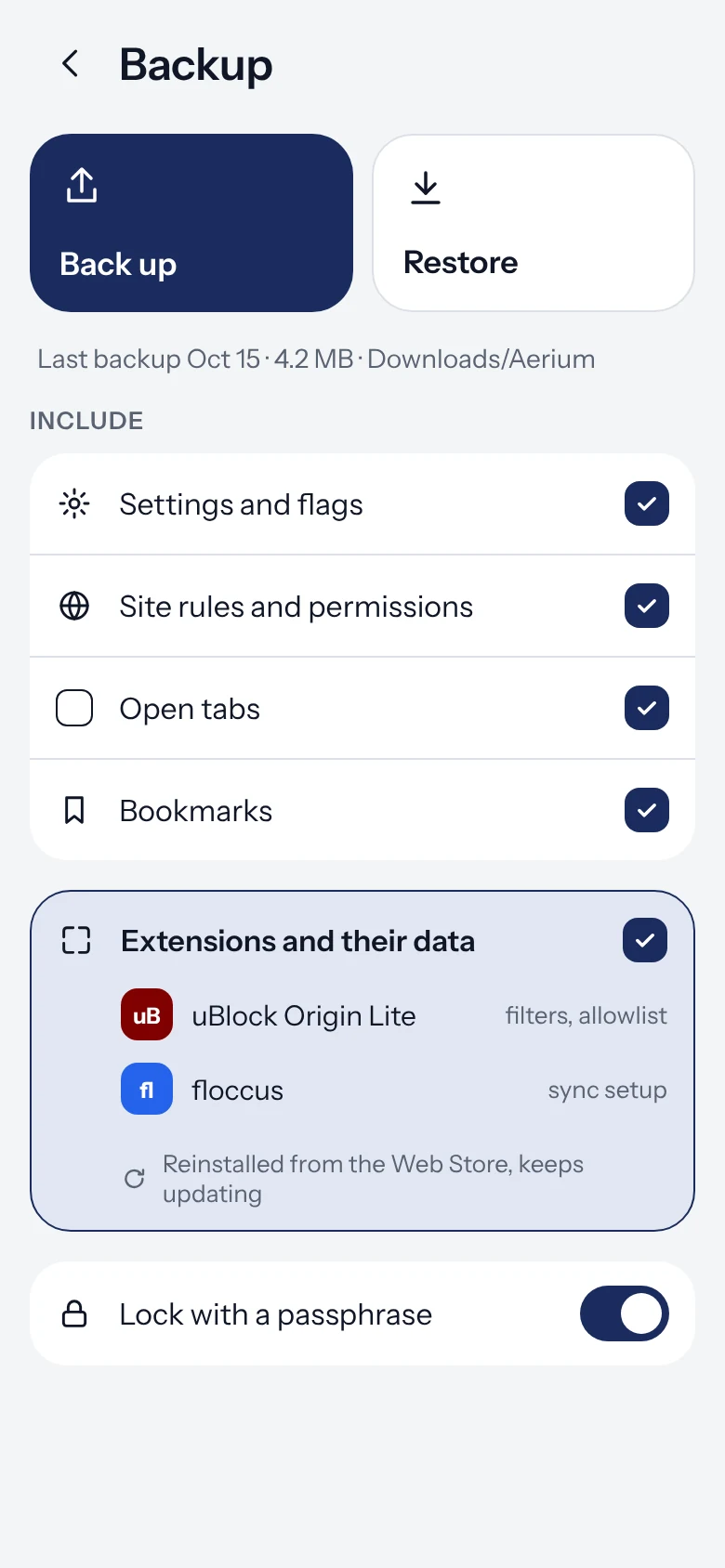
Bookmarks sync through floccus over storage you own.
Search
Startpage as the default engine
Nine privacy-first engines to choose from New
Startpage, DuckDuckGo, Brave Search, Mojeek, Qwant, Ecosia, SearXNG and two DuckDuckGo no-JS variants.
Data and cleanup
Delete browsing data when the browser closes
Choose which kinds go.
Keep list: sites worth staying signed into
Reset a site the moment its last tab closes
Keep until the browser closes, then clear
A middle setting between keep and reset.
Clear every site on tab close, with exceptions
Delay before clearing
So a reopened tab does not lose its session.
Extensions
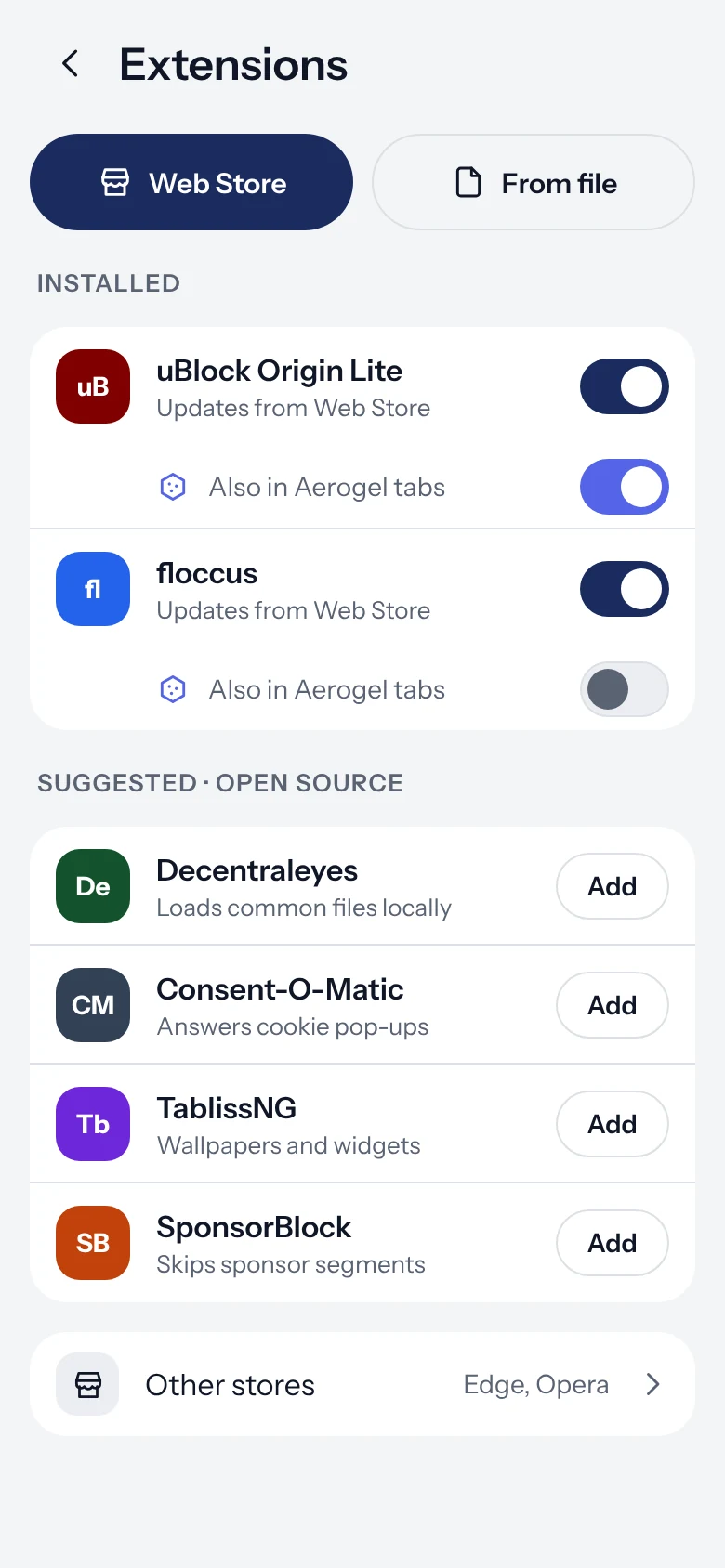
Extensions at all
Including on Android, which most Android browsers still cannot do.
Manifest V2 extensions keep working New
Content blockers that have nowhere else to go still run.
An extension can own the New Tab page
Web store bundled with the package
Android points at the Chrome, Opera and Edge stores instead of bundling one.
Install a .crx from an allowed off-store host
GitHub, Opera and Edge add-on hosts included.
The web store opens in its desktop layout New
The install button only exists on the desktop pages, so Android asks for them.
Media
DRM off until you turn it on, in Settings New
Widevine is not registered unless asked for, so no site can probe for it.
Background playback, as a switch New
Audio and video carry on when you switch away or blank the screen.
··
Hand a download to another app
··
Appearance
Aerium's own palette, not the platform's
Pure black surfaces for OLED
A black OLED pixel is switched off and draws no power. A desktop monitor gains nothing.
Darken web content, as a setting
Blacken sites that ship their own dark theme
Their dark grey becomes true black too.
Bottom bar, new tab button within thumb reach New
The tab switcher's plus moves to the bottom, where one hand can reach it.
··
Identity and updates
chrome://aerium lists every patch by name
What was changed to make this browser is something you can read.
aerium:// as an alias for every internal page
Daily release check, result on the About screen
One request a day, to GitHub, and nothing else.
Told about a release without opening Settings
An app-menu row on desktop, a notification on Android.
View page source in the menu
A download's source URL is recoverable
Android shows and copies it in one tap; desktop hides it behind the filename link.
Onboarding
First-run preset chooser
Desktop ships with Chromium's defaults and needs a way off them. The Android build already is the decided set.
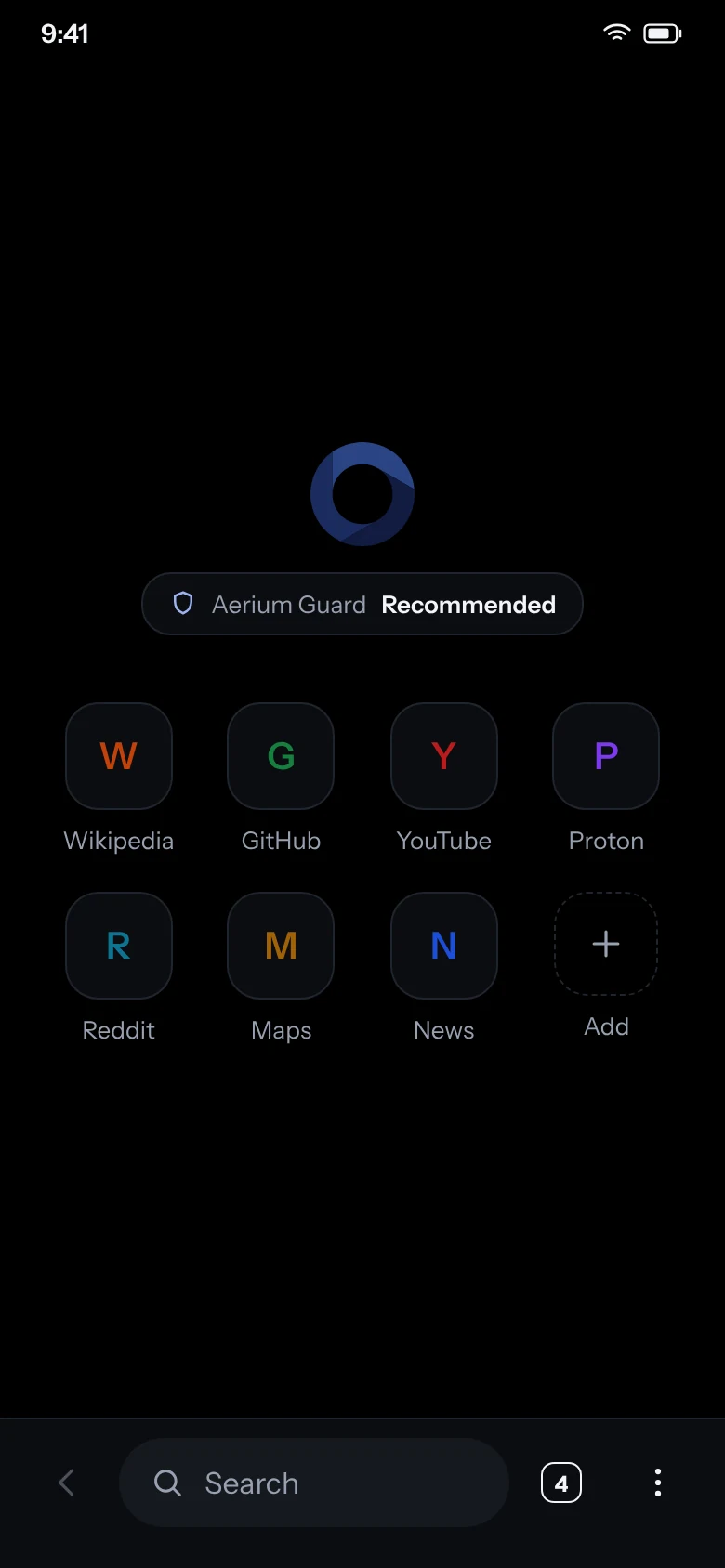
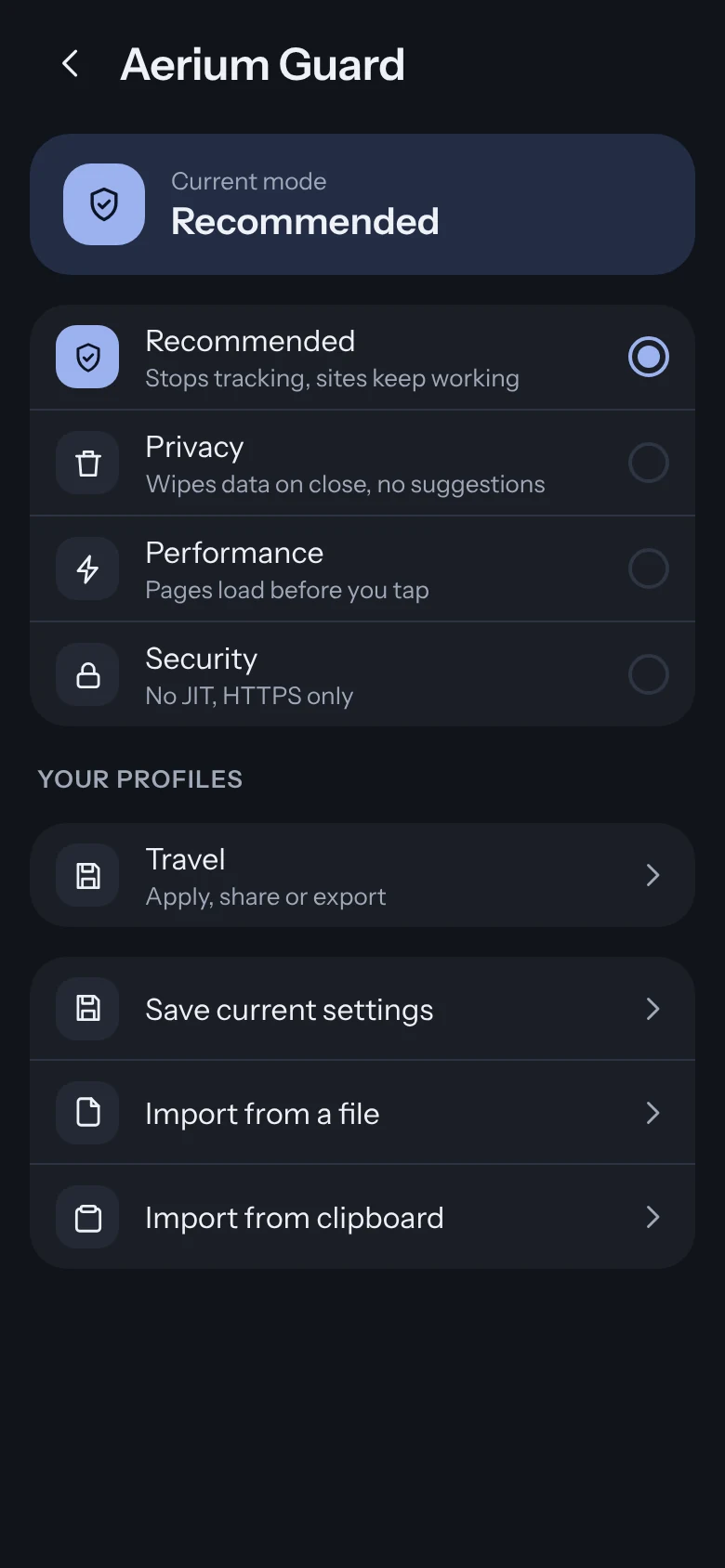
Aerium Guard: Recommended, Privacy, Performance
Named sets of defaults rather than a page of switches, with a shield saying which is in force.
Builds
arm64
·
x86_64
Android x86_64 is a prerelease, built on request.

shipped   partial   not present   · not applicable on this platform

Available now

Free, open source, built in public on GitHub Actions. Every release below is fetched live from the release feed.

Windows

Built on ungoogled-chromium. Standard installer, same shortcuts and Start Menu integration you already know.

Loading latest release

Linux

Portable AppImage for x86_64 and arm64, no installation needed. Self-updates in place via zsync. Built with ungoogled-chromium-portablelinux.

Loading latest release

Android

Forked from a Vanadium-based build. Full extension support including Manifest V2, something most Android browsers still cannot do. The download is large, around 300 MB, because extensions mean shipping Chromium’s desktop build. Here is why.

Loading latest release

Aerium Guard is desktop only today. Everything else in the table above ships on all three platforms, including the cookie controls and chrome://aerium on Android.